SFX v3

Prompt Library

AI Prompt Library

Curated image, video and web design prompts from creators around the world. Copy any prompt, swap the subject or style, and generate with the latest models.

220 prompts · Updated daily · 100% free

30 prompts

Forest Passage Under Stars
Grok Imagine

Forest Passage Under Stars

A quiet passage through a forest glowing beneath the stars A hidden lake, a sky full of stars, and just a trace of light along the shore. Sometimes the most magical places are the quietest. ✨🌌

@Nagarjuna Creates
Nebula IC 1590 Inspiration
Grok Imagine

Nebula IC 1590 Inspiration

fierce reds and oranges come from vast clouds of ionized hydrogen, set alight by the ultraviolet blast from a young, scorching cluster of massive stars (IC 1590) sitting at the heart of the nebula. Cooler blue-cyan hues trace ionized oxygen, painting the interior like a ghostly lantern. Dark Bok globules — dense knots of dust and gas.

@Time Traveler
Korean Love Story Cinematic Prompt
Seedance 2.0

Korean Love Story Cinematic Prompt

A beautiful Korean girl with long, straight black hair walks through a peaceful coastal Korean town during golden hour, wearing a stylish beige trench coat and carrying a handbag. A handsome Korean boy in a dark leather jacket stands near a railway crossing as a vintage tram passes by. The girl slowly approaches him along the seaside street, with warm sunlight glowing on her face. Cinematic camera movements, natural walking motion, realistic facial expressions, soft ocean breeze, and detailed Korean street scenery. Capture their first eye contact with a gentle romantic atmosphere, shallow depth of field, warm color grading, and photorealistic quality. Create a beautiful 15-second cinematic love story with smooth transitions, natural lighting, and emotional storytelling.

@Ayat
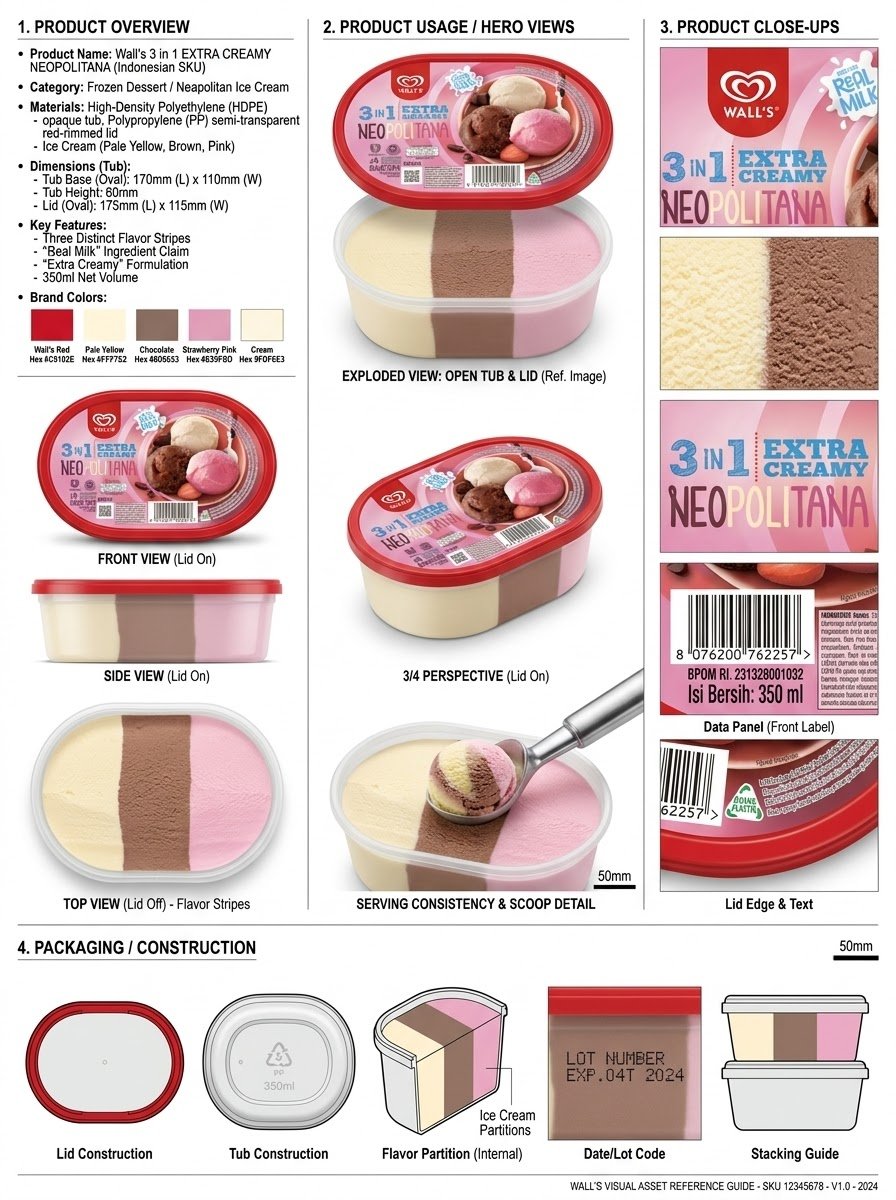
Infographic / Edu Visual - Product Reference Sheet Workflow
Nano Banana Pro

Infographic / Edu Visual - Product Reference Sheet Workflow

Analyze the product and create a high-resolution, photorealistic, professional advertising reference sheet containing these four sections, on a clean white/neutral studio background, premium commercial product photography, soft controlled lighting, realistic materials, sharp details, subtle shadows, and a professional editorial grid. 1. PRODUCT OVERVIEW; name, category, materials, dimensions/size, key features, and brand colors. 2. PRODUCT USAGE/HERO VIEWS - front, back, side, 3/4, and functional/use view where relevant. 3. PRODUCT CLOSE-UPS - logo/label, texture/material, key components, packaging details, and other important identifying features. 4. PACKAGING / CONSTRUCTION - relevant packaging or structural views where applicable. The entire sheet must function as a visual continuity bible for AI image/video production. Every product view must depict the exact same physical product with absolute consistency. Do not redesign, add variants, alter branding, or change proportions. Use cean typography, clear section labels, thin dividers, balanced spacing, sophisticated production-design aesthetic.

@Olatunde AI
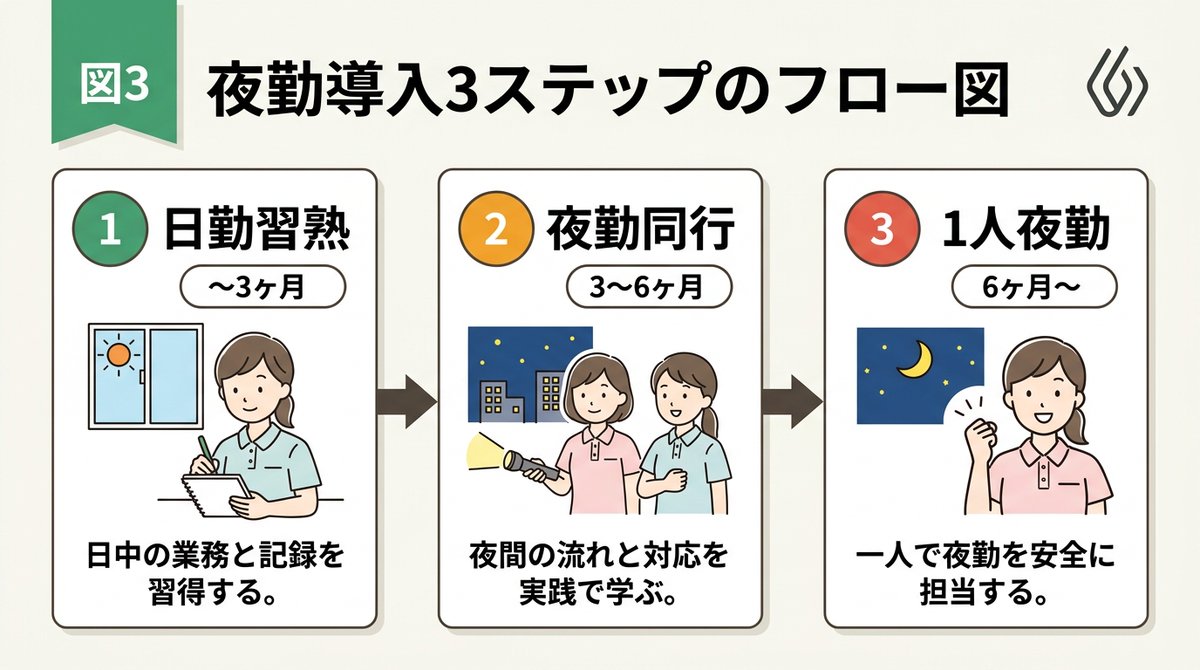
Infographic / Edu Visual - Handwritten Style 3-Step Process Slide
Nano Banana Pro

Infographic / Edu Visual - Handwritten Style 3-Step Process Slide

[Input Data] - Overall Title: {argument name="main title" default="3-Step Flowchart for Night Shift Introduction"} - Step 1: Title "{argument name="step 1 title" default="Day Shift Mastery"}" / Period "{step1Period}" / Description "{step1Desc}" - Step 2: Title "{step2Title}" / Period "{step2Period}" / Description "{step2Desc}" - Step 3: Title "{step3Title}" / Period "{step3Period}" / Description "{step3Desc}" - Color Theme: {argument name="color theme" default="green"} [Structure and Layout Specifications] - Style: A clean and friendly 3-step flowchart illustration suitable for Japanese business slides, educational manuals, or internal documents. 16:9 landscape slide configuration. - Background: Clean off-white or solid white background. - Top Title: - Place "Figure 3" or a step badge in the upper left, and to its right, draw a large Japanese main title "{mainTitle}" in a bold, easy-to-read Gothic font. Place a small, clean abstract logo mark at the right edge. - Step Card Arrangement: - Three beautiful rectangular cards arranged side-by-side. Placed in order from left to right, connected by thick arrows. Each card border is color-coded neatly according to the color theme ({colorTheme}). - Card 1 (Left) Interior: - Draw a circular badge "1" and the Japanese title "{step1Title}" prominently. Below that, a capsule label saying "{step1Period}". - In the center, place an illustration of a Japanese woman with a gentle hand-drawn touch taking notes, and a window showing the sun. - At the bottom, place the Japanese description "{step1Desc}". - Card 2 (Center) Interior: - Draw a circular badge "2" and the Japanese title "{step2Title}" prominently. Below that, a capsule label saying "{step2Period}". - In the center, place an illustration of two Japanese women with a flashlight, night sky, and buildings. - At the bottom, place the Japanese description "{step2Desc}". - Card 3 (Right) Interior: - Draw a circular badge "3" and the Japanese title "{step3Title}" prominently. Below that, a capsule label saying "{step3Period}". - In the center, place an illustration of the night sky and crescent moon, and a Japanese woman smiling with a victory pose. - At the bottom, place the Japanese description "{step3Desc}". [Quality and Font Specifications] - Simple, clean 2D illustration, flat design, crisp clear line art. - All text must be accurately drawn in readable Japanese fonts (Gothic) without spelling errors. - Exclude all 3D effects, shadows, laptop mockup backgrounds, or camera tilt; display the flat diagram itself across the entire screen. - Aspect Ratio: --ar 16:9

@AI Guide-Note - 実務で使えるAI活用メディア
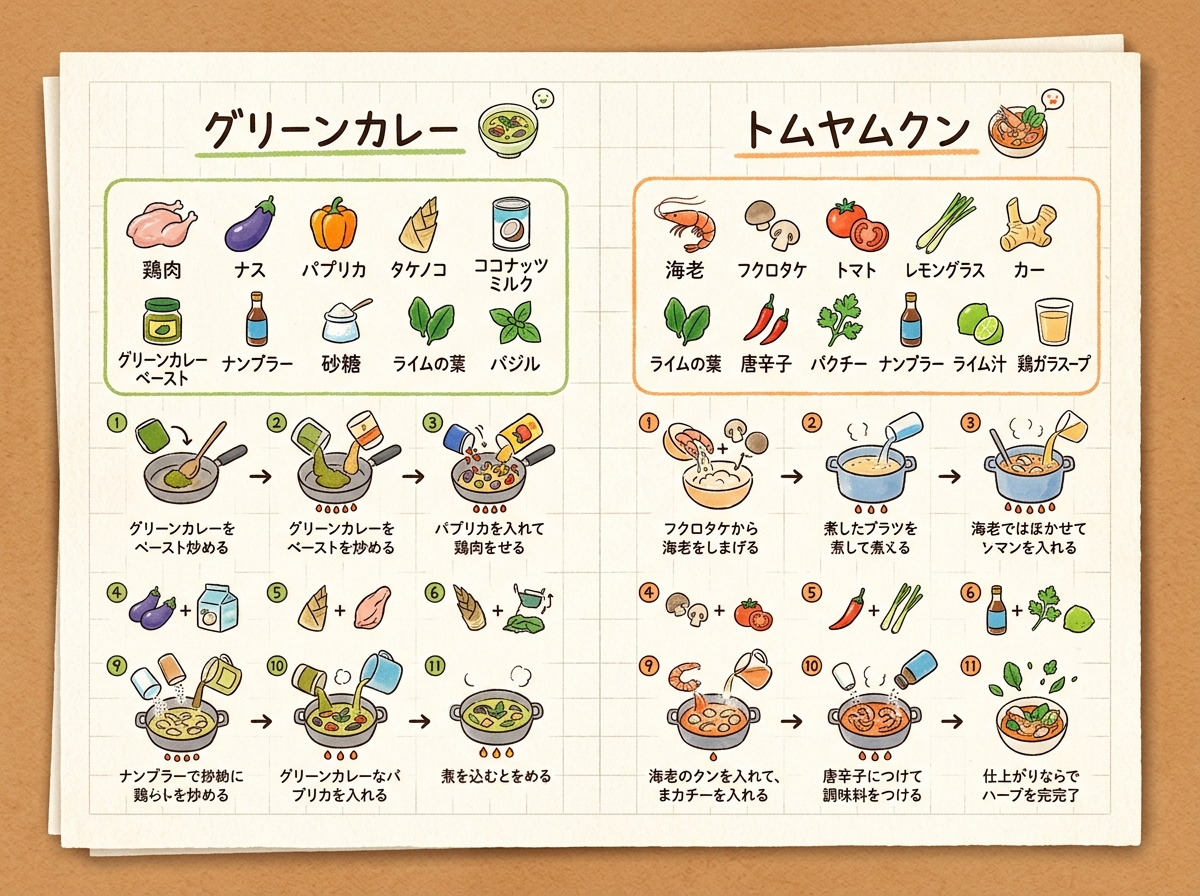
Infographic / Edu Visual - Handwritten Memo Recipe Illustration
Nano Banana Pro

Infographic / Edu Visual - Handwritten Memo Recipe Illustration

[Input Data] - Dish Name (Left Page): {argument name="dish name left" default="Green Curry"} - Ingredients List (Left Page): {ingredientsLeft} - Cooking Steps (Left Page): ①{stepLeft1} → ②{stepLeft2} → ③{stepLeft3} - Dish Name (Right Page): {argument name="dish name right" default="Tom Yum Goong"} - Ingredients List (Right Page): {ingredientsRight} - Cooking Steps (Right Page): ①{stepRight1} → ②{stepRight2} → ③{stepRight3} - Color Theme: {argument name="color theme" default="organic natural colors"} [Structure and Layout Specifications] - Style: A flat 2D handwritten-style infographic recipe illustration drawn on a piece of rustic off-white notepad paper (grid paper) with thin grid lines and warm paper texture. - Background and Composition Constraints: Do not draw physical books, three-dimensional notebook outlines, page thickness, shadows, or realistic photo background elements like wooden tables (Absolutely NO wooden table, NO realistic book mockup, NO book thickness, NO notebook pages, NO realistic photo background. It must be a flat 2D vector layout directly on the textured grid notepad paper canvas). - Left Side Layout: - Large handwritten Japanese title "{dishLeft}" at the top. - Below that, the ingredient list "{ingredientsLeft}" drawn with neat vertical bullet points in handwritten Japanese and simple food illustrations. - The lower half features cooking steps "①{stepLeft1} → ②{stepLeft2} → ③{stepLeft3}" arranged in a horizontal or vertical arrow flow. Include cute hand-drawn illustrations that match each step's content (e.g., cutting, stir-frying, simmering). - A delicious-looking illustration of the finished "{dishLeft}" dish in the bottom left. - Right Side Layout: - Large handwritten Japanese title "{dishRight}" at the top. - Below that, the ingredient list "{ingredientsRight}" drawn in handwritten Japanese with simple food illustrations. - The lower half features cooking steps "①{stepRight1} → ②{stepRight2} → ③{stepRight3}" arranged in a horizontal or vertical arrow flow. Include cute hand-drawn illustrations matching each step's content. - A delicious-looking illustration of the finished "{dishRight}" dish in the bottom right. - Colors: A gentle, warm organic tone based on "{colorTheme}". [Quality and Exclusion Constraints (Mandatory)] - Absolutely no date-related elements like dates (e.g., "8/7"), days of the week (e.g., "SUN"), calendar frames, or date stamps (NO date stamp, NO calendar, NO day of the week, NO timeline stamp). - Fonts should be friendly handwritten-style Japanese (Gothic or rounded) accurately drawing the input Japanese without distortion or spelling errors. - Aspect Ratio: --ar 4:3

@AI Guide-Note - 実務で使えるAI活用メディア
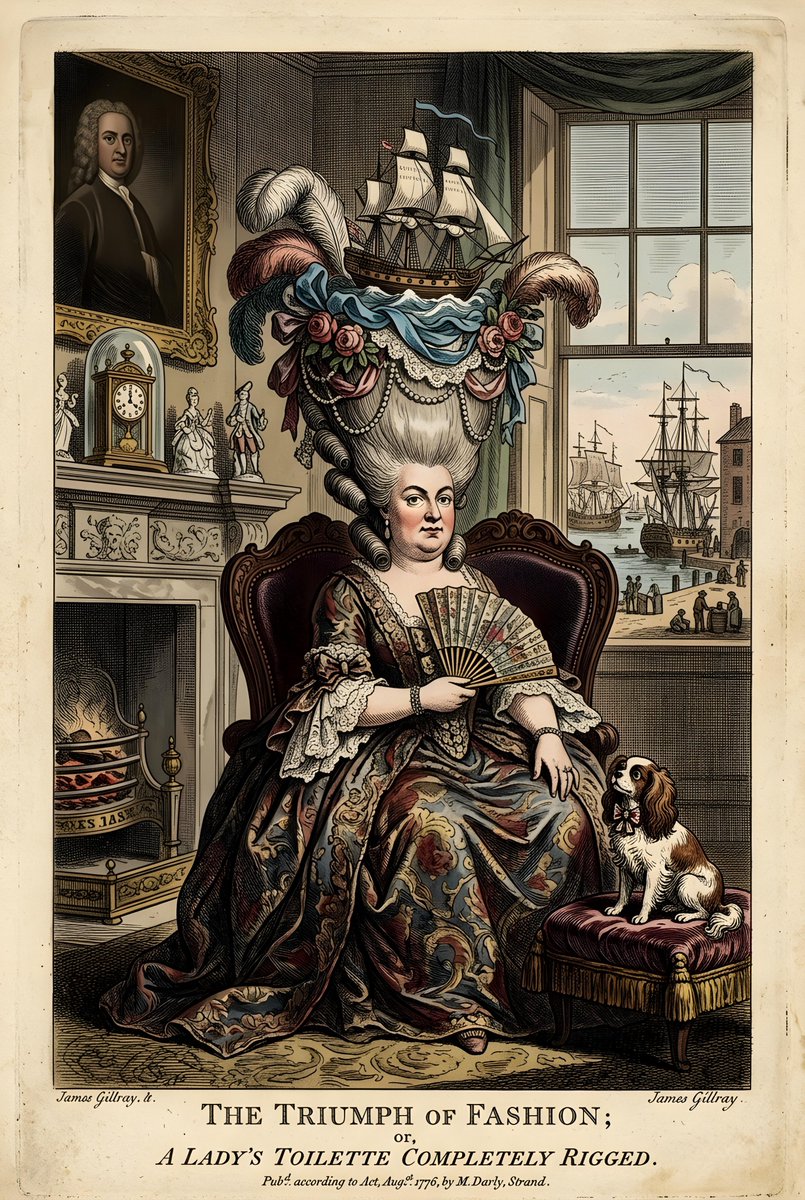
Infographic / Edu Visual - Vintage British Caricature Satire
Nano Banana Pro

Infographic / Edu Visual - Vintage British Caricature Satire

A vintage British caricature depicts a woman with an elaborate hairstyle adorned with a sailing ship, flowers, and feathers. She is seated in an ornate chair, wearing a richly decorated dress and holding a fan. The background shows a lavish interior with a fireplace, clock, and a window overlooking a harbor scene. A small dog sits on a cushion to her right. The overall style is that of a 18th-century satirical print.

@Heather Green
Infographic / Edu Visual - Editorial Cooking Storyboard Layout
Nano Banana Pro

Infographic / Edu Visual - Editorial Cooking Storyboard Layout

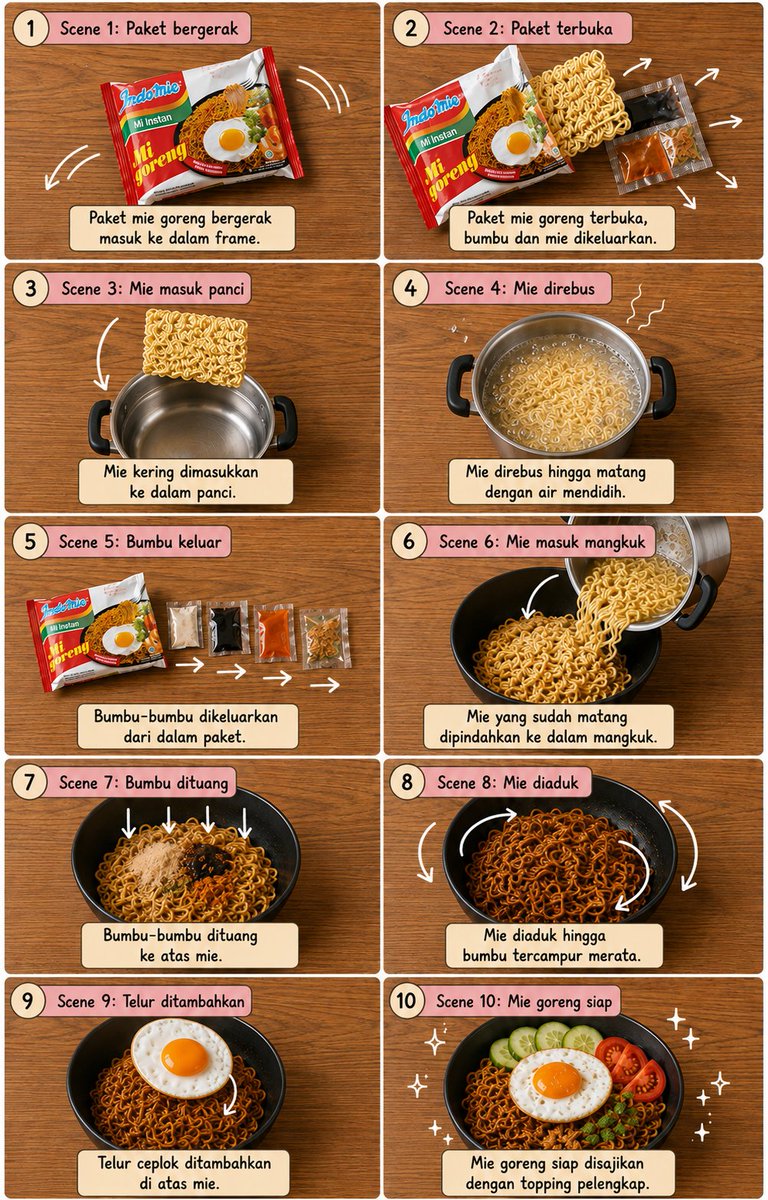
Create a vertical 4:5 cooking storyboard with exactly 10 panels in a {argument name="grid" default="2×5 grid"}. {argument name="surface" default="warm wooden tabletop"}, perfect top-down view, thin white borders, dusty-pink rounded headers, cream caption boxes, numbered circles and black handwritten typography.\n\nShow the exact sequence: {argument name="dish" default="dish"} packet → packet opens → noodles enter silver pot → noodles boil → seasoning sachets come out → cooked noodles enter black bowl → seasonings fall in → noodles mix → fried egg placed on top → finished mie goreng with egg and garnishes.\n\nUse clear white curved arrows, motion lines and sparkles to show every movement. Keep identical object continuity, realistic food, warm lighting, clean cute editorial storyboard style, sharp details and balanced spacing. No people, no hands, no extra panels.

@𝐌
Minimalist Information Infographic Layout

Minimalist Information Infographic Layout

Please create an infographic based on the {argument name="topic" default="input content"}, highlighting key themes and essential points: - Simplify information, emphasizing keywords and core concepts, leaving ample whitespace for clarity. - Include minimalistic {argument name="illustration style" default="cartoon"}

Infographic / Edu Visual - European Hamster Wildlife Photography
Nano Banana Pro

Infographic / Edu Visual - European Hamster Wildlife Photography

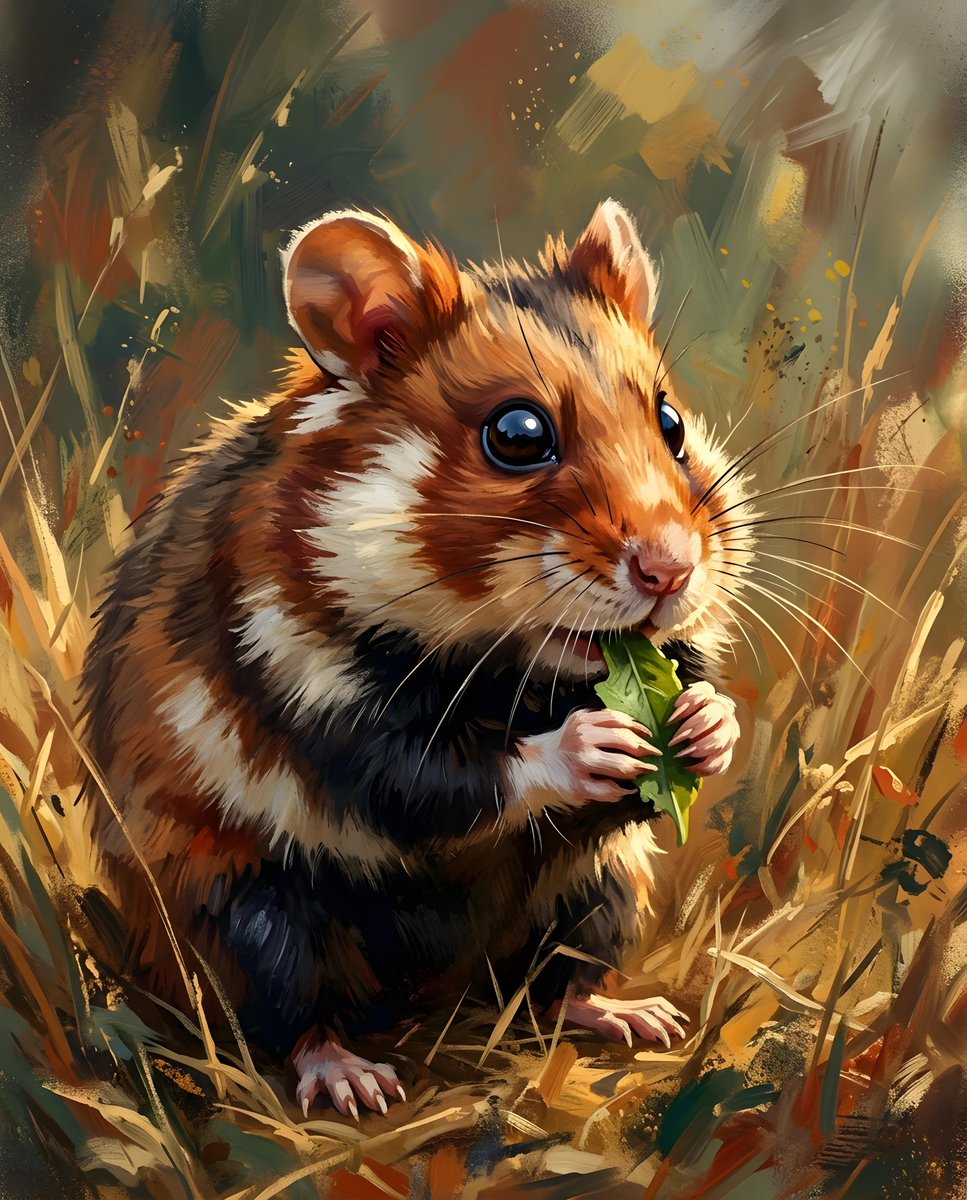
A close-up, eye-level shot captures a {argument name="animal type" default="European hamster"} in a field of dry grass. The {argument name="animal type" default="hamster"}, with its distinctive brown and black fur, is positioned slightly to the left of the frame, facing right. Its tiny paws are holding a {argument name="food item" default="small green leaf"}, which it appears to be eating. The {argument name="animal type" default="hamster"}'s dark, beady eyes are sharp and focused, and its long whiskers are prominent.

@Heather Green
Infographic / Edu Visual - Realistic Dodo Bird Illustration
Nano Banana Pro

Infographic / Edu Visual - Realistic Dodo Bird Illustration

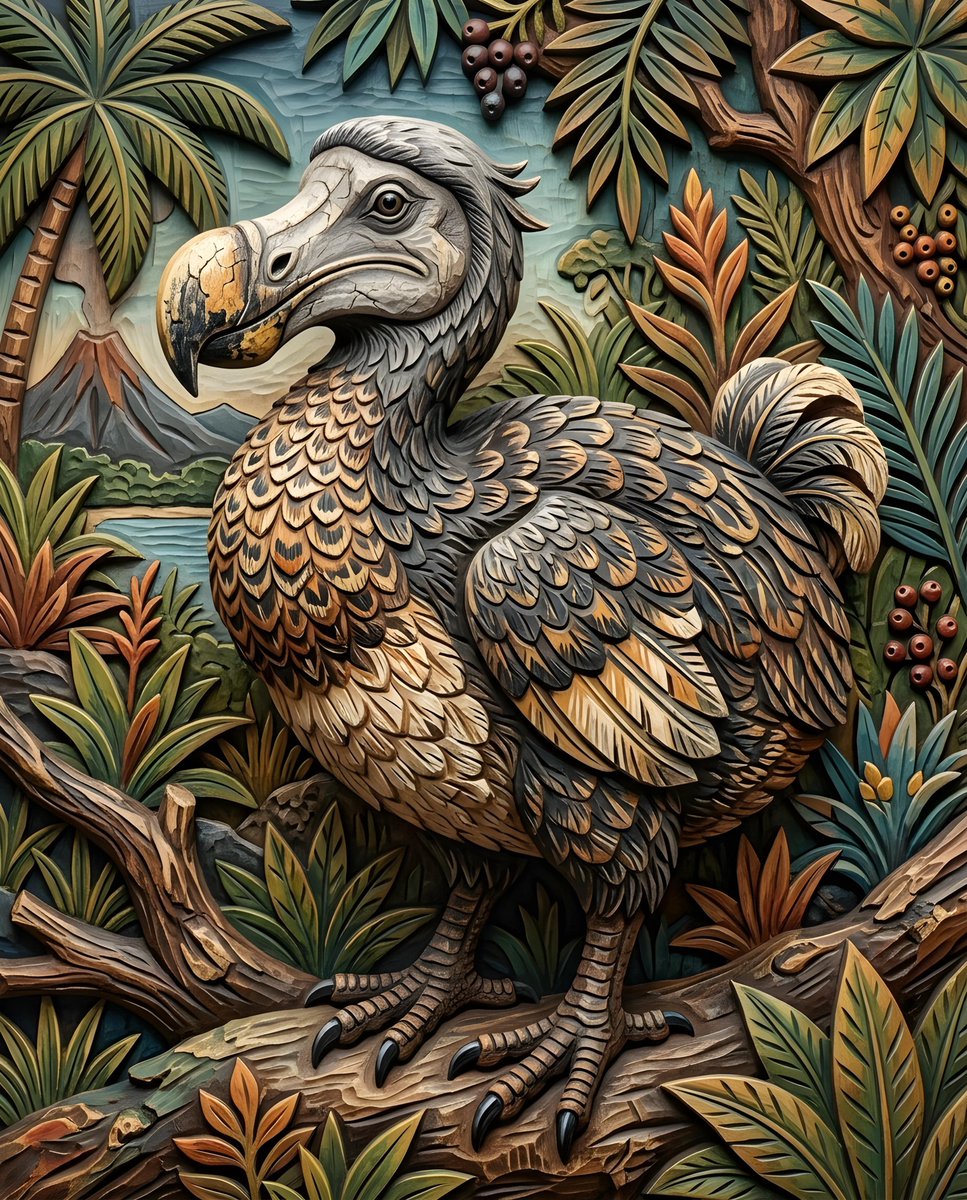
a {argument name="bird species" default="dodo bird"}. Its body is plump and rounded, covered in {argument name="feather colors" default="dark gray and brown feathers"} with lighter, intricate patterns. The bird's legs and feet are visible, with scaly skin and sharp claws. The head is a lighter gray, with a prominent, curved beak that has a {argument name="beak texture" default="cracked texture"}.

@Heather Green
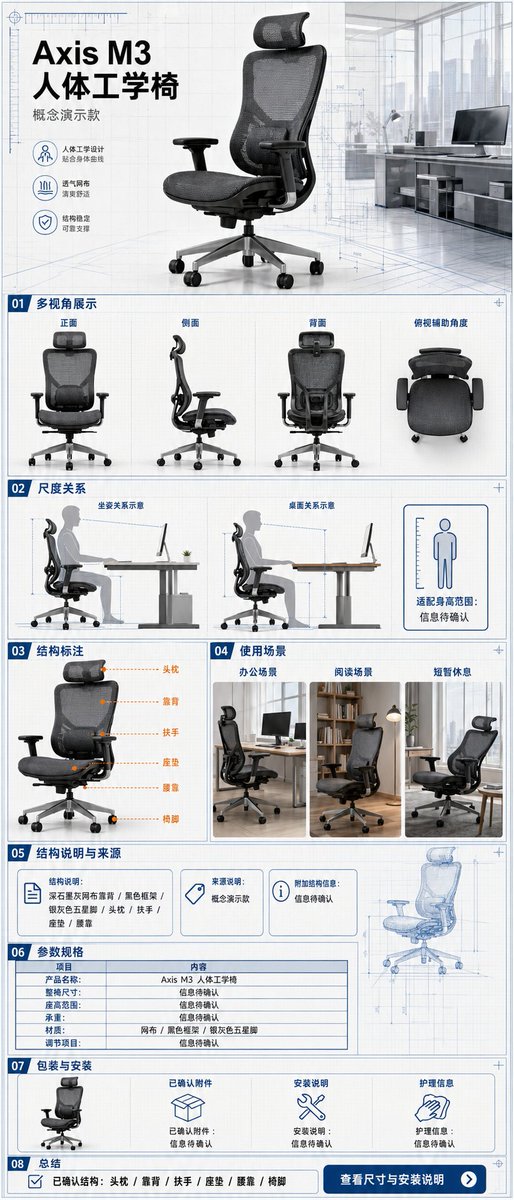
E-commerce Main Image - Ergonomic Office Chair E-commerce Mobile Detail Page
Nano Banana Pro

E-commerce Main Image - Ergonomic Office Chair E-commerce Mobile Detail Page

A single, continuous, and complete mobile e-commerce detail page for an ergonomic office chair, with an aspect ratio of {argument name="aspect ratio" default="3:7"}. The product is the "{argument name="product name" default="Axis M3 Ergonomic Chair"}" concept model, featuring a dark graphite grey mesh back, black frame, silver-grey five-star base, visible headrest, armrests, seat cushion, and lumbar support, maintaining structural consistency across all perspectives. The overall design uses a vertical grid system combining architectural blueprints with modern office spaces, featuring {argument name="color scheme" default="paper white, graphite grey, steel blue, and subtle orange"} annotations, clear narrow sans-serif, and monospace parameter fonts. The first screen shows the identity of the product with a 3/4 angle view; followed by front, side, back, and top-down auxiliary angles; using human sitting postures and desk relationships to show scale without inferring specific height suitability ranges; labeling headrest, backrest, armrests, seat cushion, lumbar support, and chair feet by outline without providing internal exploded structures; showcasing office, reading, and brief rest scenarios; the evidence section only shows structural descriptions and sources provided by the user, with missing items marked "information to be confirmed"; the parameter section includes full chair dimensions, seat height range, load capacity, materials, and adjustment items, with unknown values not guessed; the packaging section shows the chair body, confirmed accessories, installation instructions, and care information, with missing accessories marked "information to be confirmed"; and ends with a summary of confirmed structures and a "view dimensions and installation instructions" note. Every parameter unit, dimension line, and information card must be fully filled out. Fictional ergonomic certifications, load-bearing values, adjustment levels, health improvements, patents, or test results are prohibited.

@Mr.pinecone
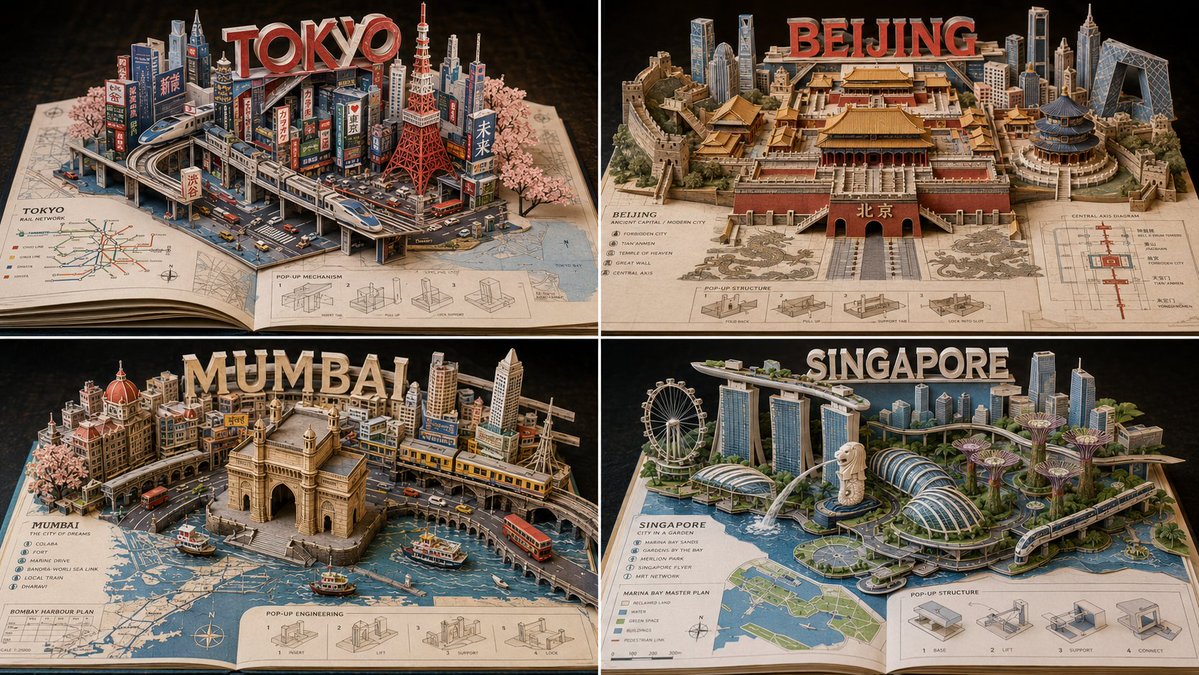
YouTube Thumbnail - Miniature Pop-up Book Diorama
Nano Banana Pro

YouTube Thumbnail - Miniature Pop-up Book Diorama

2x2 grid, 16:9, do this for 4 important {argument name="subject" default="Asian cities"}: Generate a photoreal miniature pop-up book diorama for {argument name="subject" default="Asian cities"}.Rules:- infer SUBJECT_DNA automatically- use BASE_DOCUMENT as the physical foundation- the subject must rise from the page as a paper-engineered 3D world- include inferred landmarks, architecture, terrain, infrastructure, cultural motifs, and small scale cues- show folded platforms, stairs, slots, hinges, support struts, and hidden paper mechanics- integrate the subject name or symbolic typography as raised paper letters or structural forms- the base page should contain an inferred map, diagram, blueprint, or printed context relevant to {argument name="subject" default="Asian cities"}- everything must feel crafted from paper, cardstock, ink, miniature model materials, and precise pop-up engineering- no hard-coded city, landmark, tower, temple, map, color, or text unless supplied

@Gadgetify
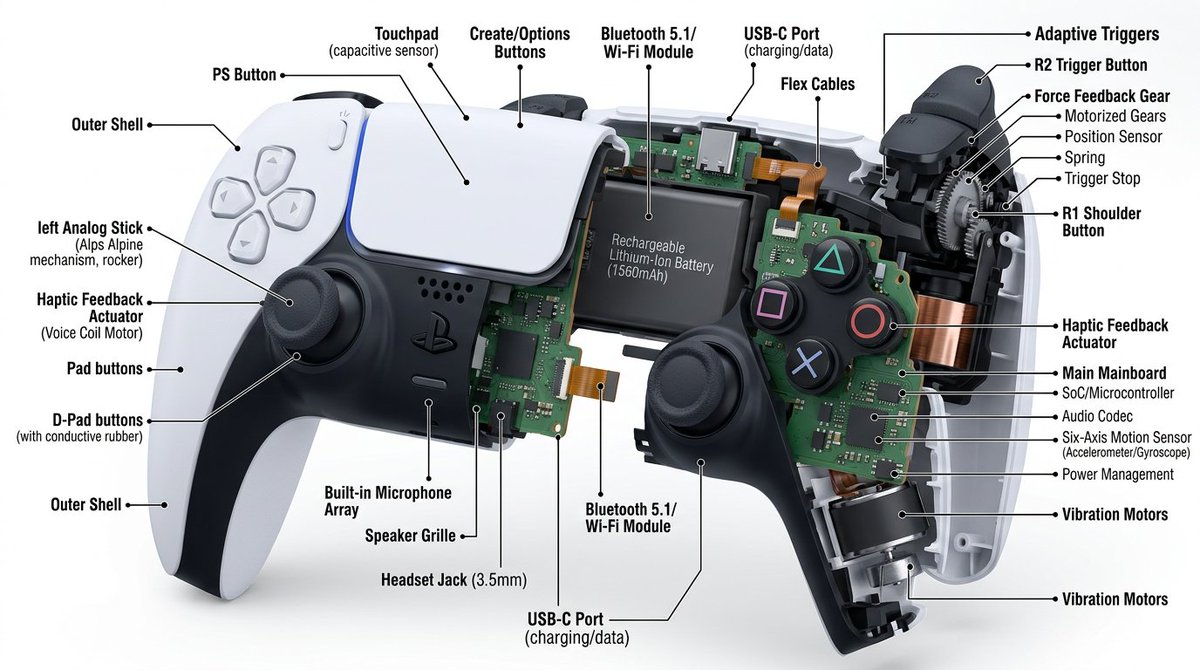
Technical Cutaway Diagram

Technical Cutaway Diagram

Cutaway diagram of a {argument name="object" default="mechanical device"}, detailed with interior component, on a white background. High-resolution, with a focused technique and text callouts providing information about each part. Interior details, hyper-realistic appearance.

3D Medical Glow Scan Rendering

3D Medical Glow Scan Rendering

A ultra-detailed, hyper-realistic 3D rendering of {argument name="subject" default="human waist"}, presented against a {argument name="background" default="smooth, clean white-to-light-grey gradient background"}. The style must mimic that of an advanced, glowing medical scan (like an fMRI combined with a CT). The entire structure is composed of luminous, semi-transparent green tissue (fascia, muscles, nerves), with skeletal elements and major neural pathways rendered in a {argument name="glow color" default="brilliant, glowing electric green light"}. The texture is that of a complex, interwoven network of lit fibers and nodes. The aesthetic is clean, technological, and medicinal, with the green structures appearing to emit light. The composition must be high-focus and minimalist, with a single, clear subject and no text.

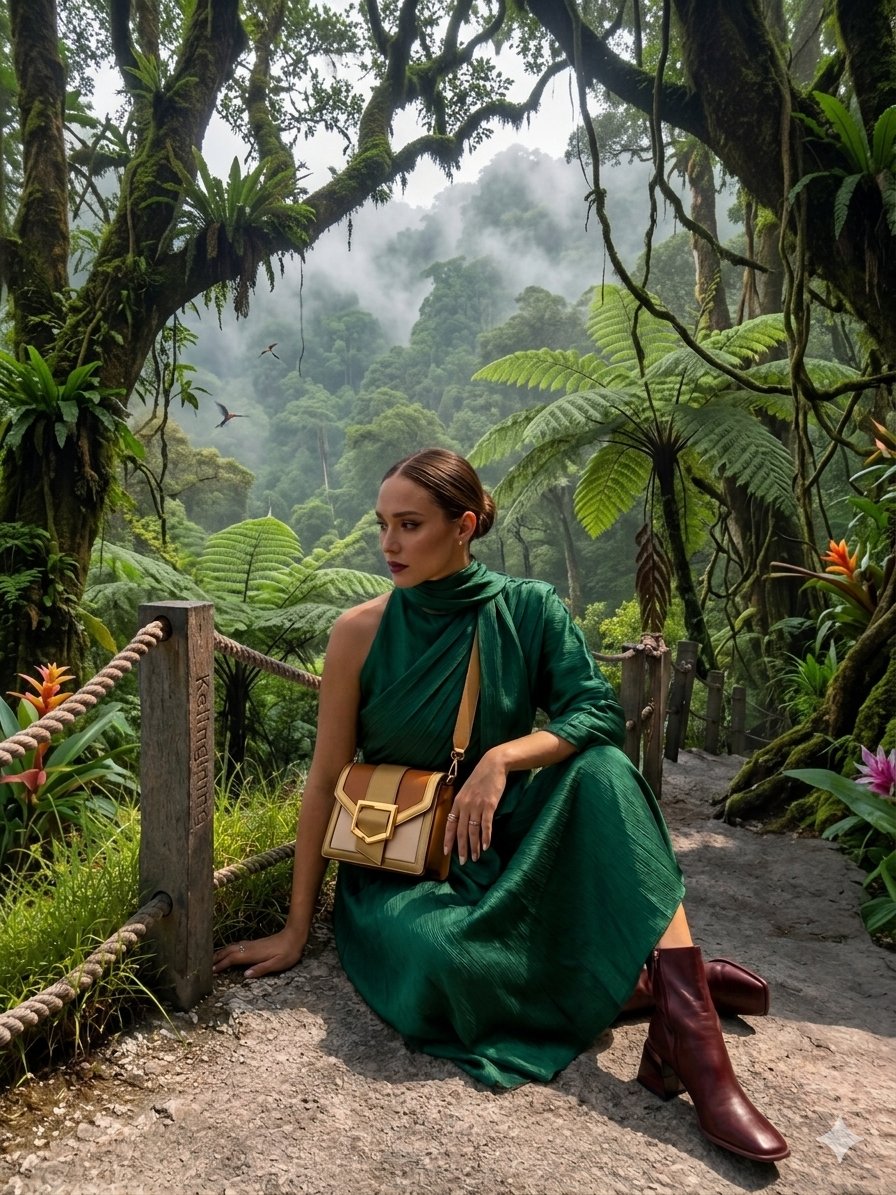
AR Scenic Cliffside Portrait Analysis

AR Scenic Cliffside Portrait Analysis

{ "image_description": { "overall_theme": "High-technology augmented reality analysis of a scenic outdoor portrait", "resolution": "4K UHD, hyper-realistic with sharp data overlay", "subject": { "name": "Woman_Model_A", "pose": "Seated_profile, looking_left, side", "attire": { "garment": "Draped_One_Shoulder Pleated_Silk_Green_Dress", "color_hex": "#1E6641", "footwear": "Boots_Maroon", "accessory": { "type": "Bag_Two-Tone Leather/Metal", "details": "Gold_Buckle_feature" } } }, "environment": { "location": "Nusa_Penida_Cliffside", "terrain": "Rocky_Path", "details": { "main_trees": { "type": "Fern_Tree", "count": 3 }, "vegetation": "Lush mossy trees, vibrant red flowers, exotic plants", "boundary": "Wooden fence posts with thick rope rail", "background": "Distant tree-covered cliffs partially obscured by mist, with birds in flight", "specific_sign": "Small sign on a fence post with the text 'Kelingking'" } }, "data_overlay": { "style": "Translucent cyan digital interface with glowing gridlines and panel outlines", "panels": [ { "position": "Top-Left (Stacked Vertical)", "content": [ "ANALYSIS: SUBJECT_DETECT", "POSE: SEATED_PROFILE", "OUTFIT: DRAPED_ONE_SHOULDER", "COLOR: #1E6641_SILK_GREEN", "ACCESSORY_1: BAG_TWO-TONE", "MATERIAL: LEATHER/METAL", "HEEL: BOOTS_MAROON" ] }, { "position": "Top-Center (Floating Block)", "content": "COORDINATES: -8.7495° S, 115.0934° E" }, { "position": "Center-Left (Embedded Annotation)", "linked_to": "Leftmost Fern Tree", "content": "FERN_TREE (count: 3)" }, { "position": "Center-Right (Embedded Annotation)", "linked_to": "Rightmost Fern Tree", "content": "FERN_TREE (count: 3)" }, { "position": "Top-Right (Annotation)", "linked_to": "Cliffs", "content": "CLIFF_DISTANCE (approx: 450m)" }, { "position": "Bottom-Right (Formatted JSON Block)", "content": "{\n \"model\": {\n \"name\": \"Woman_Model_A\",\n \"pose\": \"Seated_left_looking_side\"\n },\n \"apparel\": {\n \"garment\": \"Pleated_Silk_Green_Dress\",\n \"style\": \"One-Shoulder_Draped\"\n },\n \"bag\": {\n \"type\": \"Two-Tone_Leather_Gold-Buckle\",\n \"brand\": \"Luxury_Accessory\"\n },\n \"location\": \"Nusa_Penida_Cliffside\",\n \"terrain\": \"Rocky_Path\"\n}" } ] } } }

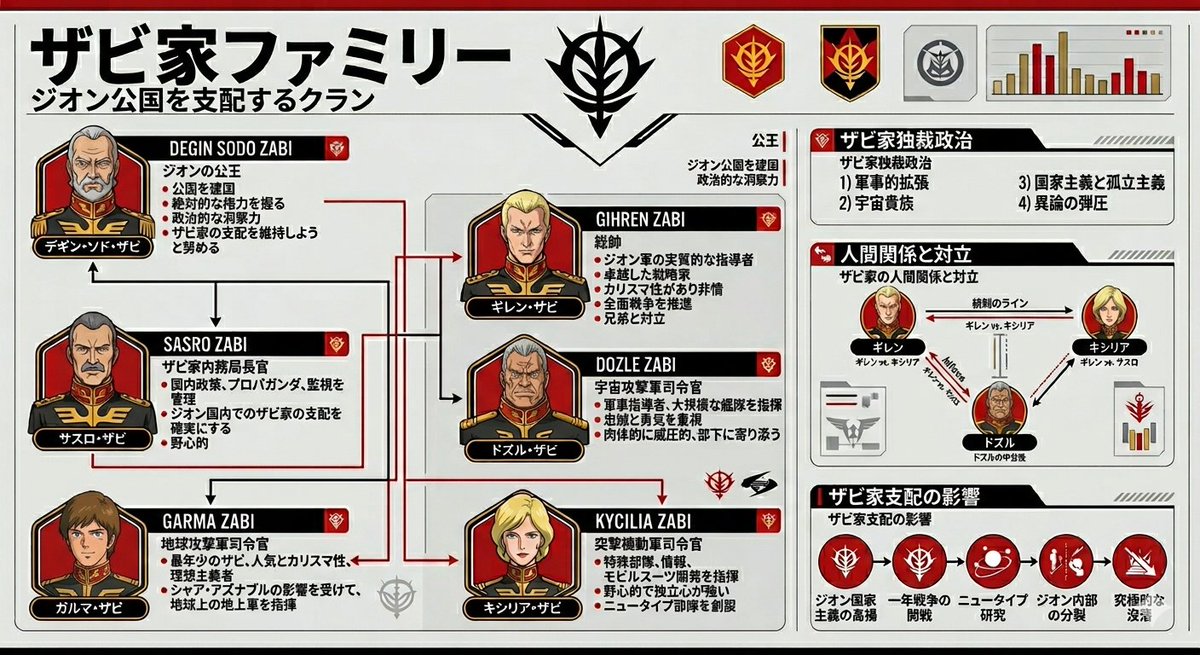
Gundam Origin Infographic Generation

Gundam Origin Infographic Generation

Please summarize the {argument name="subject" default="Zabi family from Gundam Origin"} in an {argument name="style" default="infographic style"}.

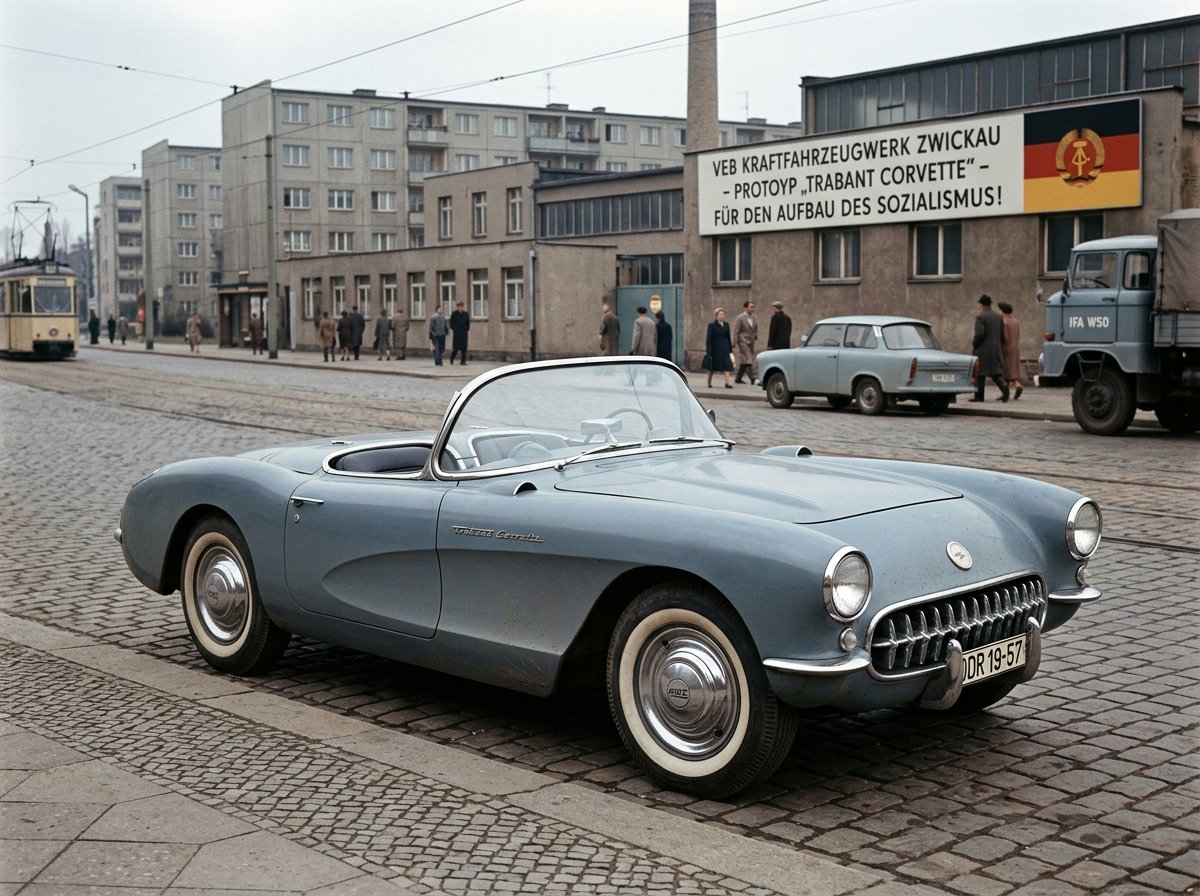
GDR Alternate History Car Design

GDR Alternate History Car Design

{argument name="car" default="Chevrolet Corvette"} designed in {argument name="location" default="East Germany"} by Trabant engineers in {argument name="era" default="1957"}, retro GDR automotive design, socialist industrial aesthetics, realistic alternate history

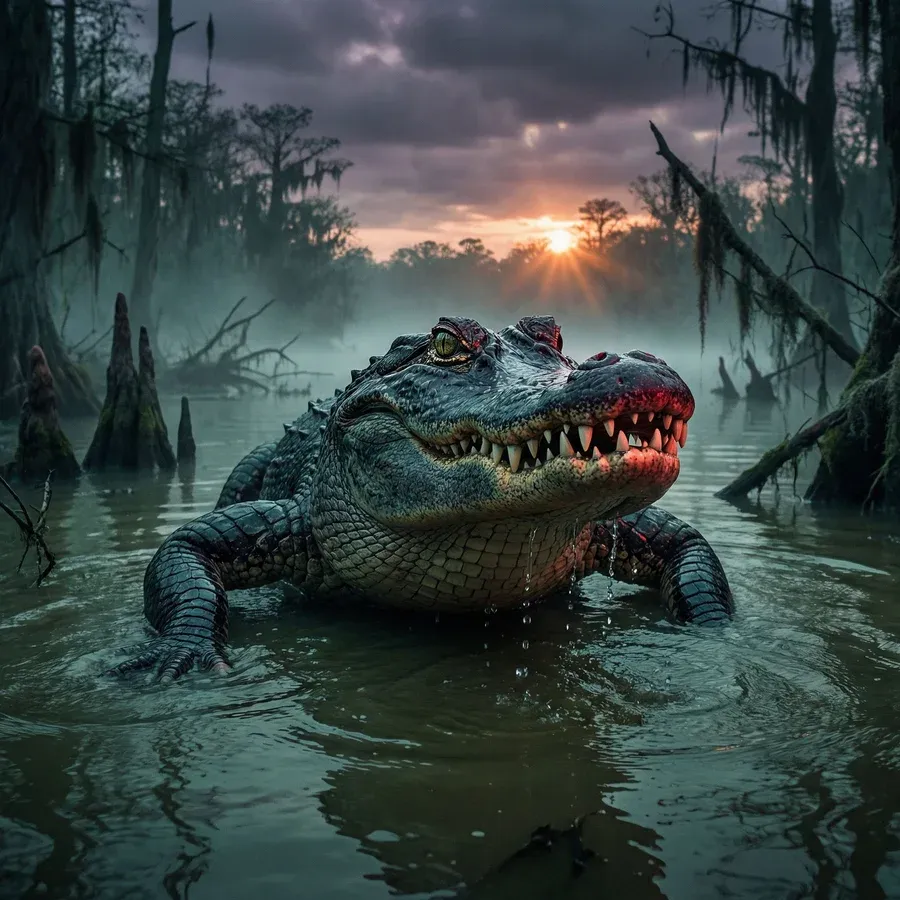
Alligator in Swamp Wildlife Photo

Alligator in Swamp Wildlife Photo

{argument name="subject" default="Alligator"} lurking in a {argument name="setting" default="swamp"} at {argument name="time" default="dusk"}

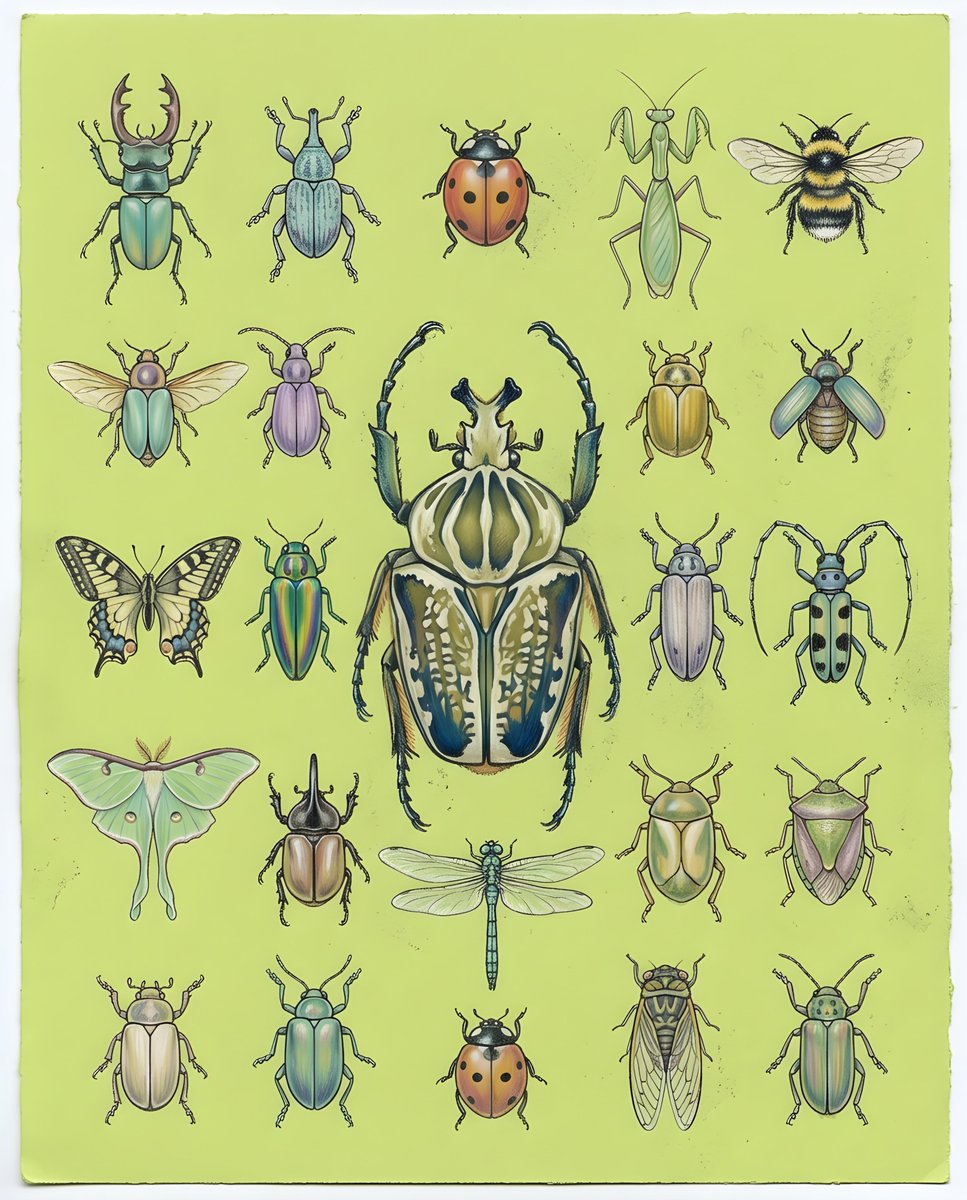
Pastel Chalk Insect Knolling

Pastel Chalk Insect Knolling

a detailed layout of {argument name="subject" default="various beetles and insects"} created in a {argument name="style" default="soft pastel chalk art style"}, with subtle chalk dust and textured paper grain visible. Harmonious, gently blended colors on a {argument name="background" default="lime-green background"}, arranged in a precise knolling style grid of hand-drawn beetles and insects, with one large, intricately rendered beetle in the center acting as the focal point, high-resolution illustration, clean negative space, top-down view.

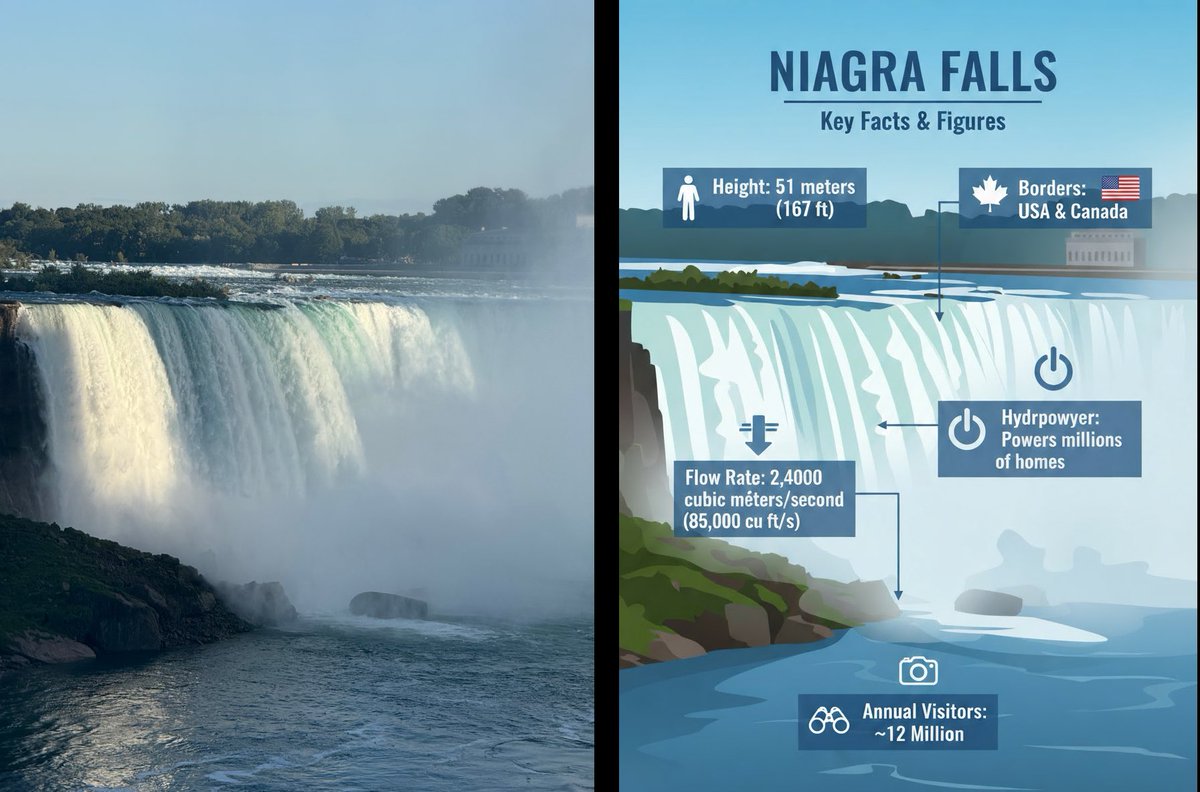
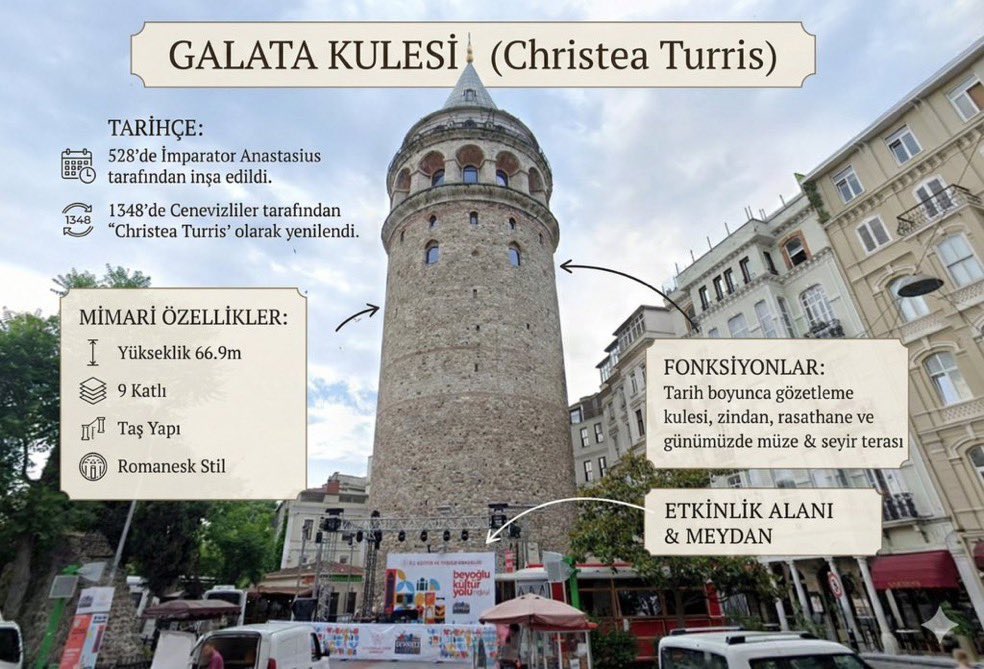
Image to Infographic Guide

Image to Infographic Guide

Convert this image into an {argument name="format" default="information visualization guide"} describing this location.

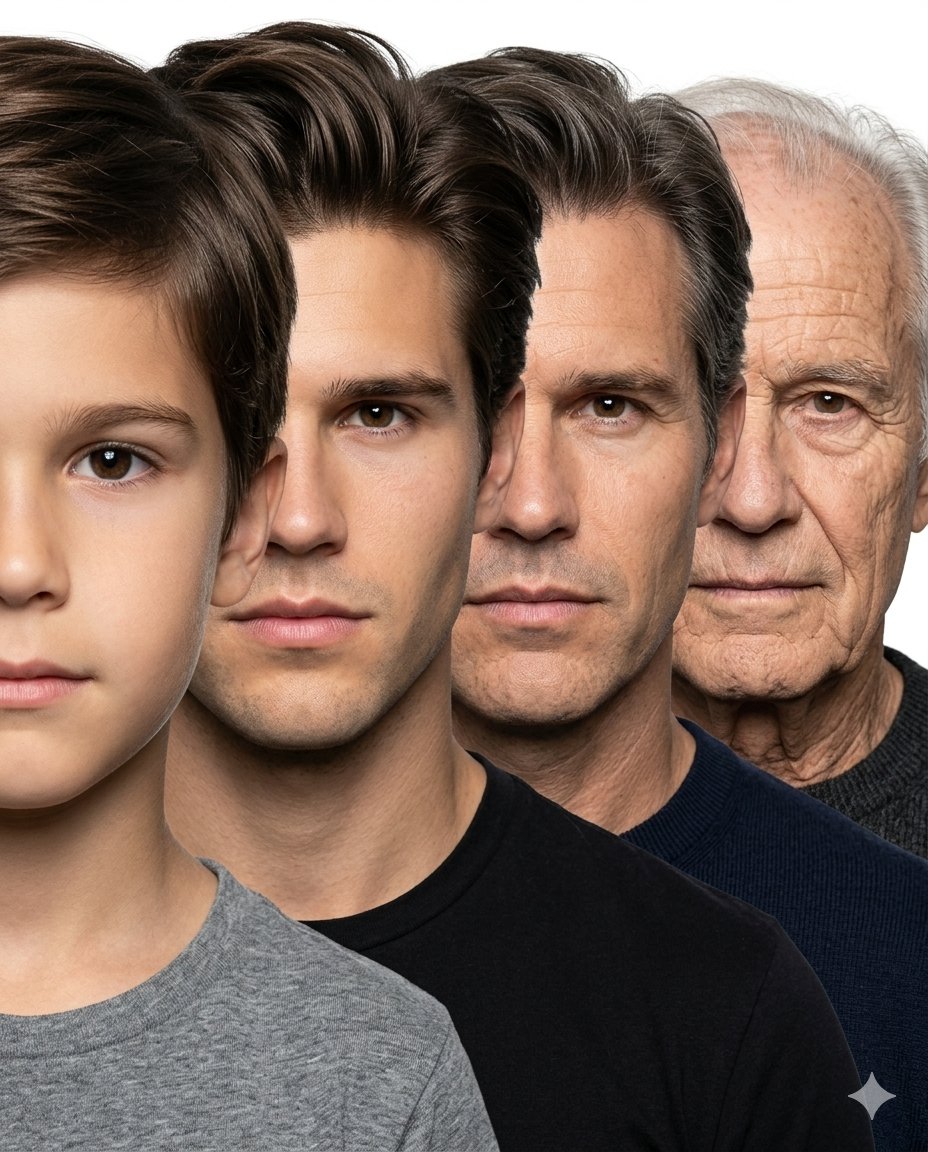
Male Age Progression Portrait

Male Age Progression Portrait

Create a hyper-realistic age progression portrait sequence of the same male individual across {argument name="stages" default="4 major life stages: child (age 6), young adult (age 25), middle-aged man (age 45), and elderly man (age 75+)"}. Use the attached child’s face as the exact identity reference for the youngest stage and ensure every age stage looks like the exact same person naturally aging over time, preserving identical facial structure, nose shape, eye color, jawline, skin tone, eyebrow structure, lips, and facial proportions consistently across all ages. Arrange all four faces in a tightly compressed overlapping side-stacked composition exactly like a professional photographic age progression lineup. Each face should be front-facing, tightly cropped, and positioned slightly behind the previous one from front to back, creating a smooth layered progression from youngest to oldest. Maintain nearly equal face scale across all stages with minimal perspective distortion. Faces should overlap naturally and remain very close together with clean simple spacing, similar to a studio portrait stacking composition. No geometric panels, no cinematic scene composition, no excessive depth effect, no dramatic perspective. Pure white seamless studio background, soft neutral studio lighting, realistic skin texture, natural aging details, plain neutral clothing, ultra photo-realistic, highly detailed, sharp focus, professional portrait photography, seamless identity consistency across all ages. No corp. Aspect ratio 4:5, no text, no logo.

Some prompts are collected from creators on X. Copyright belongs to the original authors.